
From the Vault — originally published September 30, 2009. Some links, videos or prices may be out of date.
Creating your own custom music playlists and playing your own music in Motorstorm Arcttic Edge is done differently than older PSP games such as Wipeout Pulse. In order to play your own MP3 music files in Motorstorm Arctic Edge your mp3 files must be in the “PSP\MUSIC” folder on your memory stick. You may not have a “MUSIC” folder in the PSP directory so if not then create one.
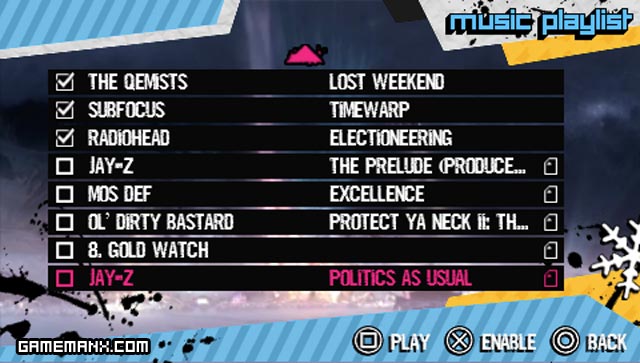
When you have loaded the music you can go to the custom soundtrack option in the menu and your music will be at the bottom of the list.
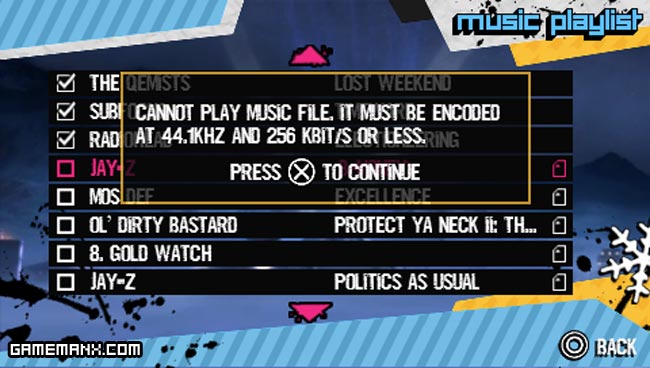
The MP3’s that you do load in the folder must be encoded at 44.1KHZ and must be 265kbit or less. If it does not meet this requirement you will get the above error. If you do get this error then you need to convert your MP3 to meet the specs. You can do that with a program like Super C.


chris345
I need help please! it doesnt work with mine. i have about 4 gb music on my psp, but how can i choose the right songs?